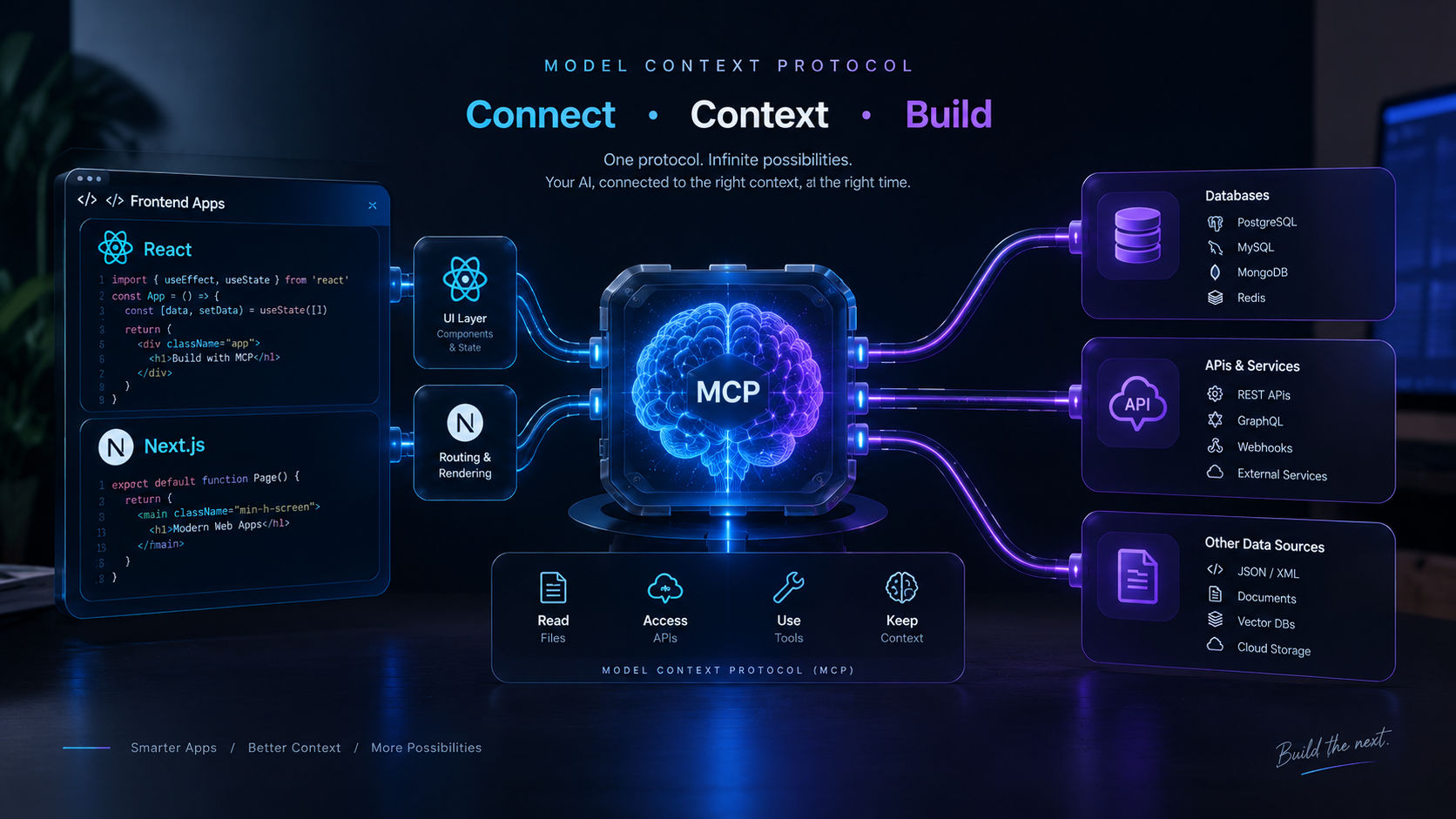
Modern web development has moved past traditional chat interfaces and simple API wrappers. Founders and engineering leads are no longer looking for basic chatbot integrations; the real business value lies in autonomous agents capable of performing multi-step reasoning, executing external tools, and interacting securely with live enterprise databases.
However, standard AI integrations often break down in production due to context drift, stateless API timeouts, and tightly coupled tool interfaces. Every time an API schema changes, developers are forced to manually rewrite prompt definitions and function-calling schemas.
To build resilient, enterprise-grade AI applications, we need a standardized abstraction layer between models and external services. This is where Anthropic's Model Context Protocol (MCP) combined with Next.js 16 and React 19 creates a formidable foundation for next-generation agentic workflows.
This architectural guide is tailored for Tech Founders, CTOs, Engineering Managers, and Full-Stack Architects who are evaluating or building production-ready AI agent infrastructure with Next.js 16 and Model Context Protocol (MCP).
2. What is Model Context Protocol (MCP)?
Model Context Protocol is an open standard designed to connect AI models with external tools, data sources, and business contexts without hardcoded client-side adapters. Think of MCP as the 'USB-C port' for AI agents.
Rather than writing custom function-calling objects for every database, file system, or third-party API, an agent queries an MCP server to discover tools and resources dynamically.
Key Advantages of MCP in Full-Stack Web Development:
- Standardized Interfaces: Tools, prompts, and memory resources follow a strict protocol schema, eliminating ad-hoc function parsing.
- Separation of Concerns: Business logic lives inside isolated MCP servers, completely detached from the LLM client orchestration.
- Dynamic Extensibility: Agents can inspect, register, and leverage new capabilities without triggering client recompilation or redeployment.
- Zero-Trust Tool Isolation: Third-party execution runs through controlled endpoints, eliminating prompt-injection risks in database read/write queries.
3. Production Architecture Overview
When building agentic workflows inside the Next.js 16 App Router, performance, streaming speed, and execution boundaries are paramount. Our target architecture isolates agent execution to server boundaries while maintaining sub-second UI updates via streaming.
[ User Browser / React 19 Client ]
                │
         (Server Action)
                ▼
[ Next.js 16 App Router (Node.js Edge / Server Boundary) ]
                │
                ├───► [ MCP Client Manager (TypeScript) ]
                │              │
                │        (JSON-RPC / SSE)
                │              ▼
                │      [ Isolated MCP Server ]
                │       (MongoDB / File Store / External APIs)
                │
                └───► [ LLM Orchestration Engine (Tool Calling) ]
This design ensures zero API keys are exposed to the browser, runtime errors inside tools do not bring down client state, and server actions provide seamless streaming updates back to the UI.
4. Hands-on Implementation: Next.js 16 MCP Agent Client
Let's implement a production-grade TypeScript client that connects to an MCP server, exposes registered tools to an LLM, and streams tool results back to the client.
Step 1: Initializing the MCP Client in Next.js
// lib/agent/mcp-client.ts
import { Client } from "@modelcontextprotocol/sdk/client/index.js";
import { SSEClientTransport } from "@modelcontextprotocol/sdk/client/sse.js";

let mcpClientInstance: Client | null = null;

export async function getMCPClient(): Promise<Client> {
  if (mcpClientInstance) {
    return mcpClientInstance;
  }

  const transport = new SSEClientTransport(
    new URL(process.env.MCP_SERVER_URL || "http://localhost:3001/sse")
  );

  const client = new Client(
    {
      name: "vikrampal-nextjs-agent",
      version: "1.0.0",
    },
    {
      capabilities: {
        tools: {},
        resources: {},
      },
    }
  );

  await client.connect(transport);
  mcpClientInstance = client;
  return mcpClientInstance;
}
Step 2: Dynamic Tool Discovery & Server Action Execution
// app/actions/agent.ts
"use server";

import { getMCPClient } from "@/lib/agent/mcp-client";

interface AgentExecutionPayload {
  prompt: string;
  contextId: string;
}

export async function runAutonomousAgent({ prompt, contextId }: AgentExecutionPayload) {
  try {
    const client = await getMCPClient();

    // Discover tools exposed by the MCP Server dynamically
    const { tools } = await client.listTools();

    // Map MCP Tools to execution schemas
    const formattedTools = tools.map((tool) => ({
      name: tool.name,
      description: tool.description,
      parameters: tool.inputSchema,
    }));

    // Perform tool calling logic or pass to your LLM provider
    // Example: Triggering a specific database query tool
    const executionResult = await client.callTool({
      name: "query_database",
      arguments: {
        filter: { contextId },
        limit: 10,
      },
    });

    return {
      success: true,
      data: executionResult.content,
    };
  } catch (error: unknown) {
    console.error("Agent execution failed:", error);
    return {
      success: false,
      error: error instanceof Error ? error.message : "Internal Execution Error",
    };
  }
}
5. Production Pitfalls & Best Practices
- Serverless Cold Starts & Persistent Connections: Standard MCP transports use Server-Sent Events (SSE) or long-lived WebSockets. If hosting on Vercel or serverless containers, idle transport connections can drop. Always implement a connection reconnect wrapper with exponential backoff on your MCP client.
- Defensive Input Validation: Never blindly trust arguments generated by an LLM function call. Validate all tool input schemas using zod before dispatching them to internal databases.
- Execution Timeouts: Next.js Server Actions have execution duration limits depending on your hosting tier. For tasks with extensive multi-step tool calls, decouple execution into a background worker queue (e.g., Inngest or BullMQ) and stream progress via WebSockets or polling hooks.
- Context Window Management: Raw outputs from database queries can easily overwhelm the model context. Implement selective data extraction and truncation inside the MCP tool boundary before returning payloads to the agent.
6. Conclusion: The Future of Autonomous Full-Stack Architecture
Model Context Protocol bridges the gap between static web frameworks and dynamic autonomous agents. By pairing Next.js 16 with MCP, full-stack engineers can build software that doesn't just display data, but actively reasons about business problems, retrieves critical information on demand, and safely runs complex multi-step workflows.
7. Let's Build Something Impactful
Are you planning to integrate agentic AI workflows, autonomous tools, or high-performance Next.js architectures into your enterprise product?
I specialize in building production-ready full-stack applications, robust AI architectures, and high-performance web systems. Let's talk about taking your platform from concept to scale.
- Portfolio & Insights: vikrampal.in
- Get in Touch: Reach out via the contact form or connect on LinkedIn / X (@vikrampal).